
Launching a freelance marketplace can be an attractive business opportunity for entrepreneurs who want to connect service providers with customers through an online platform. Instead of building a marketplace from scratch, business owners can use Fiverr clone scripts to establish a website where freelancers list their services, customers place orders, and the platform owner earns revenue through commissions, service fees, or subscription plans.
Fiverr has demonstrated the potential of the microjob marketplace model, in which people can purchase specific services such as logo design, content writing, website development, video editing, digital marketing, and virtual assistance. However, creating a successful alternative requires more than simply copying the appearance of an established platform. A marketplace must provide reliable ordering processes, secure payments, clear communication, seller management, and a convenient experience for both buyers and service providers.
Fortunately, several ready-made marketplace solutions can help entrepreneurs develop this type of business without investing in a completely custom software project. Some are built around WordPress, making them suitable for users who prefer a familiar content management system, while others offer more specialized marketplace software and customization services.
In this guide, we examine five Fiverr clone scripts and marketplace solutions such as WPJobster, Pricerr, MicrojobEngine, Yo!Kart by FATbit Technologies, and Oyelabs. We will explore their features, benefits, potential limitations, and suitability for different business models to help you select the right solution for your project.
Table of Contents
Best 5 Fiverr Clone Script: Features, Benefits, and How to Choose the Right One

What Are Fiverr Clone Scripts?
Fiverr clone scripts are software solutions designed to help entrepreneurs build freelance service marketplaces inspired by the business model popularized by Fiverr. These platforms typically allow sellers to create service listings, establish prices, describe their offerings, and receive orders from customers through a centralized website.
Depending on the software, buyers may be able to compare service packages, communicate with sellers, submit project requirements, make payments, request revisions, and review completed work. Marketplace administrators can manage users, monitor transactions, configure commissions, and oversee the overall operation of the platform.
Although the term "Fiverr clone script" is commonly used, not every product in this category is a standalone script with identical functionality. Some solutions are WordPress themes with integrated marketplace features, whereas others are more comprehensive marketplace products or custom development services. Understanding this distinction is important because it affects installation, maintenance, customization, hosting requirements, and long-term operating costs.
For example, a WordPress-based solution may be suitable for a business owner who wants to launch a relatively simple marketplace with a limited budget. In contrast, a business planning to support thousands of service providers, specialized workflows, mobile applications, or complex integrations may prefer a more customizable platform.
The best solution depends on your business goals, technical experience, available budget, and the features your customers will actually need.
Best 5 Fiverr Clone Scripts for Building a Freelance Marketplace
1. WPJobster (Jobster)
Best for WordPress-based service marketplaces
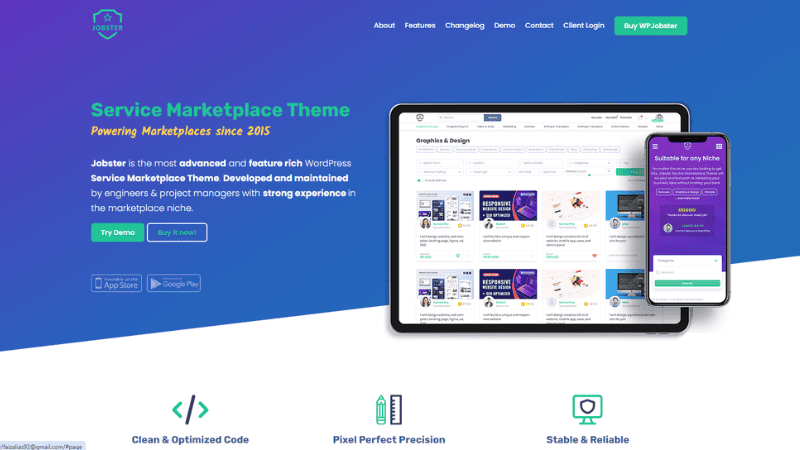
WPJobster, now presented as Jobster on its official website, is a WordPress service marketplace theme designed to help entrepreneurs build platforms where users can sell and purchase services. It is a suitable option for business owners who want a Fiverr-style marketplace while retaining the flexibility of WordPress.
Official website: wpjobster.com
Key features
Jobster provides a range of marketplace management tools that help administrators, buyers, and sellers manage their activities through one platform. Its features include a customizable user interface, service listings, order management, and an administration dashboard for controlling marketplace operations.
Service Marketplace Theme
Some of its notable features include:
- Payment gateway integrations, including PayPal, Stripe, and bank payments, with support for multiple additional gateways.
- Multi-currency support, with exchange rates that can be updated automatically or edited manually.
- Multilingual interface support for businesses targeting customers in different countries.
- Built-in messaging with file uploads, custom offers, and message notifications.
- Seller status levels based on sales volume and reputation.
- Service requests that allow buyers to describe their requirements and receive offers from sellers.
- Flexible commission settings based on seller status or transaction value.
- Social account registration and an integrated newsletter system.
Benefits of WPJobster
One of the main advantages of WPJobster is its integration with WordPress, which makes it appealing to entrepreneurs who are already familiar with managing WordPress websites. Business owners can use the WordPress ecosystem for website content, blogging, design customization, and additional functionality without necessarily developing an entire marketplace application from scratch.
Its flexible commission structure is particularly useful for marketplace operators who want to reward high-performing sellers or establish different commission rates for different seller levels. For example, a marketplace could charge new sellers a higher commission while offering lower rates to established sellers who consistently deliver quality work.
Another benefit is the built-in service request system. Instead of relying exclusively on buyers searching through existing listings, the marketplace can allow customers to publish their requirements and invite service providers to submit offers. This can be helpful when customers need specialized services that are not yet available in the catalogue.
Jobster also advertises iOS and Android applications through its official website. Entrepreneurs considering a mobile-first strategy should verify the exact application package, licensing terms, and any additional costs before purchasing.
Potential limitations
Because Jobster is a WordPress-based solution, its long-term performance and security will depend partly on appropriate hosting, maintenance, updates, and compatibility with the plugins used on the website. A marketplace with a large number of transactions or highly customized workflows may require additional technical work.
It is also important to check whether the included features meet your requirements before purchasing. The current official website advertises plans starting at $98, with installation and setup included in the advertised offering, but the final price and inclusions should be confirmed at checkout.
Best suited for: Entrepreneurs who want to launch a WordPress-based freelance marketplace with integrated communication, flexible commissions, and service request functionality.
2. Pricerr

Best for budget-conscious marketplace projects
Pricerr is a WordPress microjob marketplace theme developed by SiteMile. It is intended for entrepreneurs who want to create a website where service providers advertise small tasks and customers purchase those services directly.
Official website: sitemile.com/products/wordpress-pricerr-theme-microjob-theme
Key features
Pricerr provides a foundation for creating a microjob marketplace and can be extended with additional features according to the needs of the business. The official product page lists several extensions covering payment processing, service management, user roles, and monetization.
Its notable capabilities include:
- Service listing and custom fields for defining different service options.
- Multiple payment gateway extensions, including Stripe and region-specific payment services.
- Buyer and seller role separation.
- Custom offers through the messaging system.
- Service request functionality that allows buyers to publish requests and receive proposals.
- Booking calendar functionality for services that require scheduling.
- Membership subscriptions for recurring marketplace revenue.
- Affiliate functionality for referral-based promotion.
- Dispute management for undelivered services.
- Digital downloads and gift cards.
- Multi-currency functionality and optional location integration using Google Maps.
These extensions allow marketplace owners to choose features based on their business requirements rather than automatically paying for every available addition.
Benefits of Pricerr
The most attractive aspect of Pricerr is its published pricing structure. At the time of checking, SiteMile listed the base theme at $149 and the Pro version at $299. The base version excludes extensions, whereas the Pro version includes the listed extensions. Both packages are advertised with free updates and support for the first year, followed by a $19 annual fee for updates and support. Prices and terms may change.
This pricing structure gives entrepreneurs a clearer starting point for estimating software costs. It can be especially useful for those who want to test a marketplace idea before committing to a larger custom development budget.
Pricerr can also support several business models beyond the standard microjob approach. For example, a business could use booking functionality for consultation services, subscription packages for premium membership, or digital downloads for selling templates and other digital products.
Another advantage is that some features can be purchased separately. If a business initially needs only basic marketplace functionality, it can begin with the base theme and consider additional features as the project grows.
Potential limitations
The main limitation is that the total cost depends on the features required. Although the base package is relatively affordable, payment gateway extensions, booking functionality, mobile applications, installation, and custom development may increase the overall investment. The published product page lists some of these as separate purchases.
The WordPress foundation also means that buyers should assess their hosting environment, plugin compatibility, security practices, and maintenance requirements. Before purchasing, it is advisable to test the live demo and confirm that the ordering workflow, user dashboard, and payment process suit the intended marketplace.
Best suited for: Entrepreneurs who want an affordable starting point, prefer WordPress, and are comfortable selecting additional features as needed.
3. MicrojobEngine
Best for a straightforward microjob marketplace
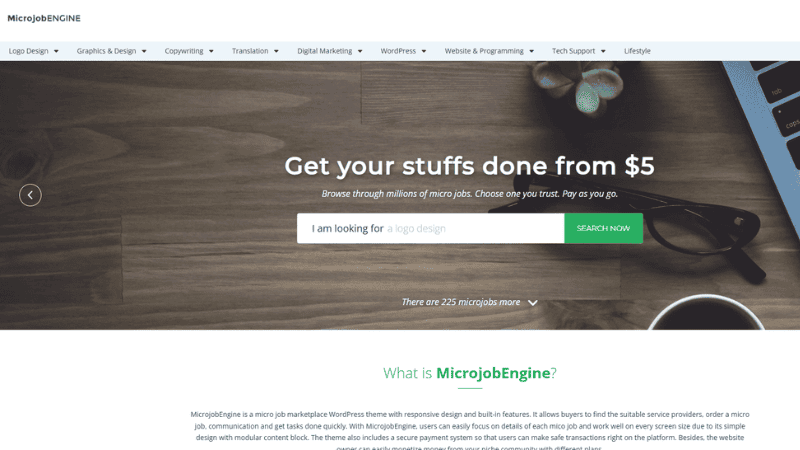
MicrojobEngine is a WordPress service marketplace theme from EngineThemes. It focuses on helping entrepreneurs create a platform where sellers publish microservices, customers place orders, and both parties manage transactions through dedicated dashboards.
Official website: enginethemes.com/themes/microjobengine
Key features
MicrojobEngine focuses on the core functions needed to operate a service marketplace without making the user experience unnecessarily complicated. Its official feature list highlights order management, seller listings, payment handling, communication, and reviews.
Key features include:
- Flexible pricing for services.
- A streamlined process for submitting microjob listings.
- Custom orders and extra services.
- Detailed service listings and public seller profiles.
- A checkout process designed to simplify purchasing.
- An interactive dashboard for orders, jobs, revenue, withdrawals, analytics, and messages.
- On-site notifications for marketplace activities.
- Order tracking for both buyers and sellers.
- An on-site chat system for discussing requirements.
- A review system that allows customers to rate completed work.
- A payment system that uses virtual currency functionality under administrative control.
The combination of these features makes MicrojobEngine particularly relevant to marketplaces that focus on predefined services instead of complex project bidding.
Benefits of MicrojobEngine
A major benefit of MicrojobEngine is its emphasis on a relatively simple service purchasing process. Buyers can browse available microjobs, review seller profiles, place orders, and communicate with providers without having to navigate an unnecessarily complicated interface.
The custom order and extra service features can also help sellers increase their earnings. For example, a graphic designer might advertise a basic logo package and offer additional charges for extra concepts, source files, or faster delivery. This allows service providers to accommodate different budgets while giving customers more purchasing options.
The dashboard is another useful feature because it consolidates important information into one place. Sellers can monitor orders and revenue, while buyers can track their purchases and communicate with service providers. A well-organized dashboard can reduce confusion and improve the overall marketplace experience.
MicrojobEngine is also based on WordPress, which may be attractive to business owners who already use the platform for website management and content publishing.
Potential limitations
MicrojobEngine is primarily focused on the microjob marketplace model. Entrepreneurs who want a highly specialized platform with extensive bidding workflows, complex project milestones, or numerous external integrations should confirm whether the available features meet their requirements or whether additional development will be necessary.
Pricing should also be evaluated by package rather than by the theme alone. EngineThemes lists Basic, Plus, and Pro packages, with additional extensions included in the higher tiers. The official page displayed a Basic package at $89 and discounted Plus and Pro prices of $189 and $329, respectively, when checked; these figures may change and should be verified before purchasing.
It is also worth checking the current status of individual features. The official feature list marks certain capabilities, including revisions and online/offline user status, as forthcoming rather than fully available in the version described.
Best suited for: Business owners who want to build a focused microjob marketplace with service listings, custom orders, reviews, and an integrated WordPress dashboard.
4. Yo!Gigs by FATbit Technologies (Yo!Kart company)
Best for a more comprehensive freelance marketplace
Yo!Gigs is a ready-made freelance marketplace solution offered by FATbit Technologies. It is designed to help entrepreneurs launch platforms similar to Fiverr, with tools for service discovery, freelancer listings, payment management, and marketplace administration.
Official website: yo-gigs.com
Although the product is sometimes associated with Yo!Kart in marketplace software discussions, Yo!Gigs is the product specifically presented on the official website for freelance and service marketplaces.
Key features
Yo!Gigs offers a broader range of marketplace capabilities than a basic service listing website. Its published feature comparison includes the following:
- Freelancer profiles and service listings.
- Advanced search and filtering.
- Multi-category service listings.
- Bidding and proposal functionality.
- Multi-language and multi-currency support.
- Custom commission settings.
- Subscription packages.
- Dispute management.
- Ratings and reviews.
- An administration dashboard.
- Promotional codes and discounts.
- Analytics and reports.
- Third-party API integrations.
- Push notifications.
- Seller verification.
- Responsive design for mobile devices.
- Blog and content management functionality.
These features can be useful for entrepreneurs who want to support multiple ways of buying services. A marketplace could allow customers to purchase fixed-price services while also enabling businesses to post projects and receive proposals from freelancers.
Benefits of Yo!Gigs
One of the main advantages of Yo!Gigs is its emphasis on a broader freelance marketplace model. Rather than limiting the platform to fixed-price microjobs, its advertised bidding and proposal functionality can accommodate projects that require custom pricing and negotiation.
For example, a business looking for a complete e-commerce website may not know the precise cost before discussing its requirements with a developer. A proposal-based workflow gives freelancers an opportunity to submit offers based on the project's scope, estimated duration, and required expertise.
Yo!Gigs may also be suitable for entrepreneurs who intend to create a specialized marketplace. A platform could focus on software development, creative services, consulting, or other professional categories while using marketplace configuration tools to establish its own business rules.
Its administrative and analytical features are relevant to businesses that expect to manage a growing number of users, service categories, and transactions. Subscription packages and configurable commissions can also provide more than one potential revenue stream.
The vendor describes Yo!Gigs as a ready-made solution that can be configured and launched quickly, and it provides demos that prospective buyers can explore before contacting the sales team.
Potential limitations
Yo!Gigs should be evaluated as a commercial marketplace software solution rather than assumed to be a low-cost WordPress theme. Entrepreneurs should request a quotation and establish the full cost of licensing, setup, customization, integrations, maintenance, and any optional mobile applications.
The greater range of marketplace functionality may also introduce more decisions during setup. Business owners need to determine how proposals, commissions, subscriptions, disputes, seller verification, and payment workflows should operate before launch.
Although a ready-made platform can reduce the amount of development required, it does not automatically guarantee business success. The marketplace still needs to attract qualified freelancers, build buyer confidence, and offer a clear reason for customers to use it instead of established competitors.
Best suited for: Entrepreneurs planning a more comprehensive freelance marketplace with fixed-price services, project proposals, multiple monetization options, and room for future expansion.
5. Oyelabs Fiverr Clone
Best for businesses seeking a customizable solution
Oyelabs provides ready-made and customizable software solutions, including a freelance marketplace product inspired by Fiverr and Upwork. Its approach combines prebuilt marketplace functionality with options for businesses that need a branded platform and additional development.
Official website: oyelabs.com
Oyelabs describes its freelance marketplace offering as software designed to support client-freelancer collaboration through features such as bidding, milestone payments, secure transactions, project management, and reviews.
Key features
The features described for its freelance marketplace solution include:
- Freelancer and client marketplace functionality.
- Bidding and project proposal workflows.
- Milestone-based payment support.
- Transaction handling.
- Project management tools.
- Reviews to help users assess service providers.
- Customization and branding options.
- Potential expansion through additional development work.
The exact feature set should be confirmed with the vendor because a ready-made product, a white-label package, and a fully customized implementation may offer different capabilities and delivery arrangements.
Benefits of Oyelabs
The primary benefit of Oyelabs is its emphasis on customization and development support. This may appeal to entrepreneurs whose business requirements go beyond a standard microjob website and who prefer to work with a provider to shape the platform around their operational needs.
For example, a company could plan a marketplace specifically for professional consultants, creative agencies, or technical specialists. Depending on the agreed scope, the platform might require custom onboarding procedures, project workflows, payment milestones, or integrations with existing business systems.
Oyelabs also advertises a range of ready-made and white-label solutions. These can provide a starting point for businesses that want to establish their own brand without designing every software component from the beginning. The company describes its development process as covering requirements analysis, design, development, testing, deployment, and support.
This approach can be valuable when the business owner wants more involvement in the product's technical direction. Instead of relying exclusively on the existing functionality of a marketplace theme, the owner can discuss additional requirements with the vendor and determine whether they can be implemented.
Potential limitations
Oyelabs may be less suitable for entrepreneurs who want a clearly priced, self-service WordPress theme that they can install and manage independently. Its customization-oriented approach makes it important to obtain a detailed quotation before committing to the project.
The quotation should distinguish between the initial software licence, custom development, deployment, third-party services, maintenance, and future feature upgrades. Businesses should also establish who owns the source code, what rights apply to the delivered software, and whether ongoing support is included.
A customizable solution can offer greater flexibility, but customization may also increase the initial investment and the complexity of future maintenance. Therefore, it is important to agree on the minimum viable feature set before development begins.
Best suited for: Entrepreneurs and established businesses that want a branded freelance marketplace, need custom workflows, and have the budget to work with a software development provider.
Comparison of the 5 Fiverr Clone Scripts
The following table summarizes the main differences between these five solutions based on their published product descriptions. The assessment is intended to help you shortlist products; it is not a claim that every product offers identical functionality or pricing.
| Platform | Software approach | Main strength | Potential drawback | Best suited for |
|---|---|---|---|---|
| WPJobster / Jobster | WordPress marketplace theme | Flexible commissions, messaging, and service requests | WordPress maintenance and feature verification | General service marketplaces |
| Pricerr | WordPress microjob theme | Affordable entry package and optional extensions | Additional features may increase total costs | Budget-conscious entrepreneurs |
| MicrojobEngine | WordPress marketplace theme | Straightforward microjob workflows and dashboards | Some advanced workflows may need additional solutions | Focused microjob websites |
| Yo!Gigs | Ready-made freelance marketplace software | Bidding, administration, and multiple monetization options | Commercial pricing requires a quotation | Larger or more comprehensive marketplaces |
| Oyelabs | Ready-made and customizable marketplace solution | Customization and development support | Project cost depends on the agreed scope | Businesses with specific technical requirements |
How to Choose the Right Fiverr Clone Script
Selecting the right software involves more than comparing the number of features on each product page. You should consider your target market, technical requirements, available budget, monetization strategy, and long-term plans.
1. Define Your Marketplace Business Model
Before purchasing any software, decide how your marketplace will operate. A platform that sells predefined services at fixed prices has different requirements from a website that allows clients to publish projects and invite freelancers to submit proposals.
If your business will focus on small, clearly defined services, a WordPress solution such as Pricerr or MicrojobEngine may be an appropriate starting point. If you want to combine fixed-price listings with bidding and project management, consider evaluating Yo!Gigs or a customizable solution from Oyelabs.
The business model should determine the software selection, rather than choosing a product first and attempting to adapt the business around its limitations.
2. Establish Your Budget
The initial software price is only one component of the total investment. You should also account for hosting, domain registration, payment processing, custom development, security, maintenance, and customer support.
WordPress-based themes may have a relatively accessible entry cost, but the expenses can increase when you add premium extensions, mobile applications, or customized workflows. Commercial marketplace software may involve a larger initial investment, but its suitability depends on the features and services included in the quotation.
Create a budget that includes both the launch phase and at least the first year of operation. This will help you avoid choosing a solution that appears affordable initially but becomes expensive to maintain.
3. Check Payment Gateway Compatibility
Payment functionality is one of the most important components of a freelance marketplace because customers must be able to pay for services and sellers need a clear process for receiving their earnings.
Confirm that the software supports payment methods appropriate for your target audience. If you intend to serve customers in Malaysia, for example, investigate support for relevant local payment options alongside international methods.
You should also understand how the platform handles commissions, refunds, seller withdrawals, failed transactions, and disputes. A payment gateway being available does not necessarily mean that every payout or marketplace payment workflow is supported automatically.
4. Evaluate Customization Options
Every marketplace needs a distinct identity. Your website should communicate its purpose clearly, whether it focuses on general freelance services or a specialized category such as writing, graphic design, programming, or digital marketing.
Review the available options for changing the design, creating service categories, adjusting seller profiles, modifying the order process, and integrating additional tools.
A WordPress-based platform may be sufficient when your requirements align with its existing features. If your business needs specialized functionality, discuss the development possibilities and associated costs with the software provider before making a decision.
5. Examine Security and Maintenance
A freelance marketplace may process payments, store user information, manage private conversations, and handle business documents. Consequently, security should be considered a fundamental requirement rather than an optional improvement.
Ask the vendor about software updates, security patches, backup procedures, user permissions, and support arrangements. For WordPress products, confirm compatibility with your intended WordPress and PHP versions and review the maintenance requirements of any additional plugins.
For custom marketplace solutions, establish how security updates will be delivered and who will be responsible for fixing technical problems after launch.
6. Test the Demo Before Purchasing
A product description may list all the right features, but it cannot fully demonstrate whether the platform is convenient to use. Explore the demo as both a buyer and a seller, if those account types are available.
Try searching for services, viewing seller profiles, placing an order, submitting requirements, exchanging messages, and checking order status. If the platform supports bidding, test the process of publishing a project and reviewing proposals.
A practical evaluation will help you identify usability issues before they affect real customers. It will also make it easier to compare products using the same criteria.
7. Consider Scalability and Future Development
Your first version does not need every feature imaginable. However, the software should be suitable for the direction in which you expect the business to grow.
Consider whether you may eventually need mobile applications, additional languages, multiple currencies, subscriptions, advanced reporting, third-party integrations, or specialized seller verification.
Choose a solution that meets your immediate requirements while providing a realistic path for expansion. Avoid paying for advanced features that you are unlikely to use, but do not overlook essential capabilities that would be expensive or difficult to add later.
Benefits of Using Fiverr Clone Scripts
Fiverr clone scripts can offer several practical advantages for entrepreneurs who want to establish a freelance marketplace.
| Platform | Software approach | Main strength | Potential drawback | Best suited for |
|---|---|---|---|---|
| WPJobster / Jobster | WordPress marketplace theme | Flexible commissions, messaging, and service requests | WordPress maintenance and feature verification | General service marketplaces |
| Pricerr | WordPress microjob theme | Affordable entry package and optional extensions | Additional features may increase total costs | Budget-conscious entrepreneurs |
| MicrojobEngine | WordPress marketplace theme | Straightforward microjob workflows and dashboards | Some advanced workflows may need additional solutions | Focused microjob websites |
| Yo!Gigs | Ready-made freelance marketplace software | Bidding, administration, and multiple monetization options | Commercial pricing requires a quotation | Larger or more comprehensive marketplaces |
| Oyelabs | Ready-made and customizable marketplace solution | Customization and development support | Project cost depends on the agreed scope | Businesses with specific technical requirements |
However, ready-made software does not eliminate the work required to establish a successful business. You still need to attract buyers and sellers, maintain service quality, handle disputes, provide customer support, and build trust in your marketplace.
Conclusion
The best Fiverr clone scripts depend on the type of marketplace you want to create, the amount you can invest, and the features required to serve your customers effectively.
WPJobster, now presented as Jobster, is worth considering if you want a WordPress-based marketplace with flexible commissions, messaging, and service requests. Pricerr offers an accessible starting point for budget-conscious entrepreneurs who prefer selecting extensions as their requirements evolve. MicrojobEngine is suitable for a focused microjob marketplace with straightforward ordering and seller management.
Yo!Gigs is a strong candidate to evaluate if you need a broader freelance marketplace with bidding, proposals, and multiple monetization options. Oyelabs may be more appropriate when your business requires a branded solution and additional customization through a development provider.
Before making your final decision, compare the available demos, confirm current prices, and calculate the total cost of ownership rather than relying solely on the advertised starting price. Most importantly, choose software that supports your business model and provides a practical path for growth.
With the right platform, a clear niche, and a well-planned operating strategy, you can establish a freelance marketplace that connects customers with service providers while creating opportunities for sustainable revenue.
Frequently Asked Questions About Fiverr Clone Scripts
What Are Fiverr Clone Scripts?
Fiverr clone scripts are ready-made software solutions that help entrepreneurs build freelance marketplaces where service providers can advertise their skills and customers can purchase services online. These platforms typically include features such as service listings, user profiles, order management, messaging, payment processing, and customer reviews. Depending on the solution, the software may be available as a WordPress theme, a marketplace application, or a customizable software package.
What Are the Best Fiverr Clone Scripts?
Some of the best Fiverr clone scripts and freelance marketplace solutions to consider are WPJobster, Pricerr, MicrojobEngine, Yo!Gigs by FATbit Technologies, and Oyelabs. Each option offers different capabilities and customization possibilities. WPJobster, Pricerr, and MicrojobEngine are WordPress-based solutions, while Yo!Gigs and Oyelabs are worth considering for businesses that need broader marketplace functionality or more customized development.
Which Fiverr Clone Script Is Best for Beginners?
Pricerr and MicrojobEngine may be suitable starting points for beginners who prefer WordPress-based marketplace solutions. Pricerr offers a base theme with optional extensions, allowing entrepreneurs to select features according to their requirements. MicrojobEngine focuses on essential microjob marketplace functionality, including service listings, order management, messaging, and reviews. Before purchasing either solution, beginners should review the available demos, current pricing, installation requirements, and ongoing maintenance costs.
How Much Does a Fiverr Clone Script Cost?
The cost of Fiverr clone scripts varies depending on the software, licensing arrangement, included features, and level of customization. WordPress marketplace themes may have a relatively affordable initial price, while more comprehensive marketplace software or custom development projects may require a larger investment. Additional expenses can include hosting, payment gateway fees, premium extensions, mobile applications, technical support, and ongoing maintenance. Always request current pricing and confirm what is included before making a purchase.
Can I Build a Fiverr-Like Website Using WordPress?
Yes, you can build a Fiverr-like website using WordPress and a suitable marketplace theme or plugin. Solutions such as WPJobster, Pricerr, and MicrojobEngine provide marketplace functionality that can help you create service listings, manage orders, and support interactions between buyers and sellers. However, you should check the compatibility of the software with your WordPress installation and confirm whether the features you need are included or require additional extensions.
What Features Should a Good Fiverr Clone Script Have?
A good Fiverr clone script should provide the essential tools required to operate a freelance marketplace efficiently. These may include seller profiles, service listings, search and filtering, secure payment processing, order tracking, messaging, reviews, dispute management, and an administrative dashboard. Depending on your business model, you may also need bidding, subscriptions, milestone payments, multiple currencies, multilingual support, and mobile applications. The most appropriate features depend on your target customers and the services offered through your marketplace.
Can I Make Money With Fiverr Clone Scripts?
Yes, a freelance marketplace built with Fiverr clone scripts can generate revenue through several business models. Common options include charging commissions on completed transactions, offering paid seller memberships, collecting service listing fees, and selling premium promotional placements. Some marketplaces may also charge subscription fees for additional features. However, profitability depends on attracting active buyers and sellers, maintaining service quality, controlling operating expenses, and establishing a clear competitive advantage.
Are Fiverr Clone Scripts Suitable for a Niche Marketplace?
Yes, Fiverr clone scripts can be used to create niche marketplaces that focus on specific industries or service categories. For example, you could build a marketplace dedicated to graphic design, content writing, website development, digital marketing, video editing, or professional consulting. A niche marketplace can make it easier to define your target audience and tailor the platform to its needs. Before selecting software, ensure that it supports the categories, workflows, and payment methods required for your chosen niche.
What Is the Difference Between a WordPress Fiverr Clone Theme and Custom Marketplace Software?
A WordPress Fiverr clone theme provides a prebuilt foundation that operates within the WordPress content management system. It is often suitable for entrepreneurs who want to launch a marketplace without developing every feature from scratch. Custom marketplace software, on the other hand, can be designed around specific business requirements and may support more specialized workflows. However, custom development generally requires careful planning, a larger budget, and an ongoing maintenance arrangement. The right choice depends on your technical requirements, budget, and long-term business objectives.
How Do I Choose the Right Fiverr Clone Script for My Business?
To choose the right Fiverr clone script, start by defining your marketplace business model, target audience, and essential features. Compare the available platforms based on pricing, payment gateway compatibility, customization options, security, scalability, technical support, and maintenance requirements. Test the buyer and seller workflows using the available demos, and request clarification about any features that are not clearly documented. Finally, calculate the total cost of ownership rather than considering only the initial software price.
References
- Top 5 Fiverr Clone Scripts in 2026 - yo-gigs.com
- Best Fiverr Clone Script in 2026 - beststartupbusiness.wordpress.com