
Choosing the best web hosting is one of the most important decisions you will make when creating a website. Whether you are building a personal blog, an online store, a corporate website, or a portfolio, your hosting provider directly affects your site's speed, uptime, security, and overall user experience. Even the most beautifully designed website can struggle to attract visitors if it loads slowly or experiences frequent downtime.
Today, there are hundreds of web hosting companies competing for customers. Each provider claims to offer the fastest servers, the best customer support, and the lowest prices. While these marketing promises can sound convincing, not every hosting company delivers the same level of performance and reliability.
The best web hosting provider should offer more than just storage space for your website. It should provide excellent server performance, strong security features, dependable uptime, responsive technical support, regular backups, and an easy-to-use control panel. These features ensure your website remains accessible, secure, and capable of handling growing traffic over time.
Another important consideration is scalability. Many website owners begin with a simple blog or small business website but eventually expand into larger projects. Choosing a hosting company that allows seamless upgrades can save time, reduce migration costs, and minimize downtime as your website grows.
Website speed has also become a major ranking factor for search engines. Fast-loading pages improve visitor satisfaction, increase engagement, reduce bounce rates, and contribute to better search engine rankings. For this reason, investing in high-quality hosting is not merely a technical decision—it is also a valuable long-term SEO strategy.
This comprehensive guide explores the top 5 best web hosting providers available today. Each hosting company has been carefully selected based on performance, reliability, customer support, features, pricing, scalability, and overall value. By the end of this article, you will have a clear understanding of which hosting provider best suits your website and business needs.
Table of Contents
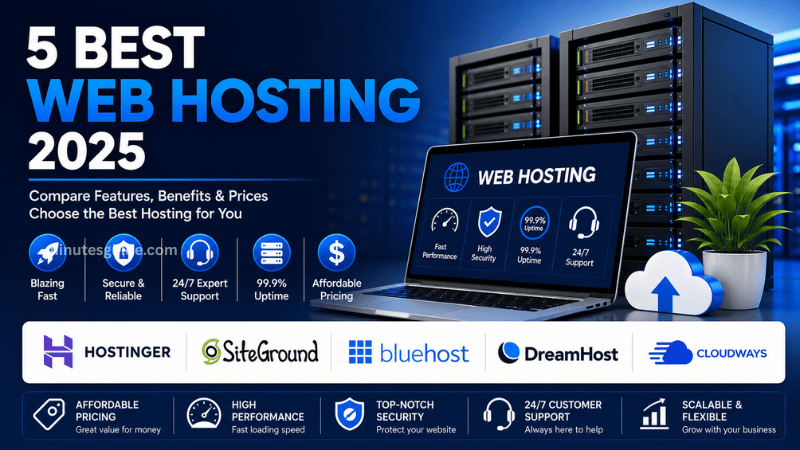
Top 5 Best Web Hosting for Speed, Security, and Reliability
What Makes the Best Web Hosting?
Before comparing hosting providers, it is important to understand the characteristics that distinguish excellent web hosting from average services.
Fast Server Performance
Website speed significantly influences user experience. Visitors expect web pages to load within seconds, and delays often lead to higher bounce rates. Modern hosting providers use technologies such as NVMe SSD storage, LiteSpeed Web Server, HTTP/3, advanced caching systems, and Content Delivery Networks (CDNs) to improve loading times.
A fast server not only improves user satisfaction but also supports better search engine visibility.
High Uptime Guarantee
Uptime measures how often your website remains online and accessible. The best web hosting companies typically guarantee at least 99.9% uptime. Even short periods of downtime can result in lost revenue, reduced visitor trust, and lower search engine performance.
Reliable hosting providers invest heavily in redundant infrastructure to minimize service interruptions.
Strong Security
Cybersecurity threats continue to evolve every year. A reputable hosting company should include security features such as:
- Free SSL certificates
- Malware scanning
- DDoS protection
- Web Application Firewall (WAF)
- Automatic backups
- Two-factor authentication
- Server monitoring
These features help protect both your website and your visitors' information.
Responsive Customer Support
Technical issues can occur unexpectedly. The best hosting companies provide knowledgeable support teams that are available around the clock through live chat, email, or telephone. Fast support often makes the difference between a minor inconvenience and extended website downtime.
Easy Website Management
Most beginners prefer hosting companies that offer intuitive dashboards and one-click installations for popular applications like WordPress. User-friendly interfaces reduce the learning curve and simplify website management.
Scalability
As your website attracts more visitors, you may require additional resources such as CPU power, memory, or storage. Good hosting providers allow customers to upgrade plans without migrating to another company.
Top 5 Best Web Hosting Providers
Selecting the best web hosting provider depends on your website's goals, expected traffic, technical requirements, and budget. While many hosting companies offer similar services, only a few consistently deliver excellent performance, dependable uptime, robust security, and outstanding customer support.
Below are five of the best web hosting providers that have earned strong reputations among bloggers, developers, businesses, and eCommerce website owners.
1. Hostinger
Hostinger has become one of the most popular hosting providers in the world due to its combination of affordable pricing, excellent performance, and beginner-friendly interface. It is particularly attractive for individuals, startups, and small businesses looking to launch professional websites without spending a large amount of money.
Despite its competitive pricing, Hostinger offers premium technologies typically found in more expensive hosting plans. Its servers use LiteSpeed Web Server technology and NVMe SSD storage, helping websites load significantly faster than traditional shared hosting environments.
Hostinger also includes a custom-built control panel called hPanel. Unlike the traditional cPanel interface, hPanel is designed to be simple, modern, and intuitive, making website management easier for beginners.
Security is another area where Hostinger performs well. Most plans include free SSL certificates, automatic weekly backups, DDoS protection, malware scanning, and Cloudflare-protected nameservers to improve website security.
WordPress users also benefit from optimized hosting environments, automatic updates, staging tools, and one-click installations.
Key features include:
- LiteSpeed Web Server
- NVMe SSD storage
- Free SSL certificate
- Free domain on selected plans
- Managed WordPress hosting
- Weekly or daily backups
- 24/7 customer support
- Global data centers
- AI website builder
- One-click WordPress installation
Pros
| Advantages | Description |
|---|---|
| Excellent performance | Fast loading speeds using LiteSpeed servers |
| Affordable pricing | One of the most budget-friendly hosting providers |
| Easy to use | Beginner-friendly dashboard with hPanel |
| Strong security | Includes SSL, DDoS protection, and backups |
| Scalable plans | Easy upgrades as your website grows |
Cons
| Disadvantages | Description |
|---|---|
| No phone support | Customer service mainly through live chat |
| Higher renewal prices | Renewal costs are higher than introductory promotions |
Hostinger is best suited for bloggers, freelancers, small businesses, portfolios, and WordPress websites seeking high performance at an affordable price.
2. SiteGround
SiteGround is widely recognized for its exceptional customer support and premium hosting infrastructure. It has built a strong reputation among WordPress users, agencies, and businesses that prioritize reliability over the lowest possible price.
Unlike many shared hosting providers, SiteGround utilizes Google Cloud infrastructure, providing faster network connectivity and highly reliable server performance.
One of SiteGround's biggest strengths is its advanced optimization tools. The company includes built-in caching, image optimization, dynamic caching, and performance enhancements that significantly improve page loading speeds.
SiteGround also places a strong emphasis on website security. Every hosting account includes AI-powered anti-bot protection, proactive server monitoring, daily backups, free SSL certificates, and automatic WordPress updates.
Customer support consistently ranks among the best in the hosting industry. Technical issues are usually resolved quickly through live chat or ticket support by knowledgeable representatives.
Key features include:
- Google Cloud infrastructure
- Managed WordPress hosting
- Free SSL certificates
- Daily backups
- Built-in caching
- CDN integration
- Email hosting
- Staging environments
- AI security system
- 24/7 expert support
Pros
| Advantages | Description |
|---|---|
| Outstanding support | Fast and knowledgeable technical assistance |
| Excellent uptime | Reliable cloud infrastructure |
| Strong security | Daily backups and AI protection |
| Optimized performance | Advanced caching technologies |
| Easy WordPress management | Built-in optimization tools |
Cons
| Disadvantages | Description |
|---|---|
| Higher pricing | More expensive than budget competitors |
| Limited storage | Smaller storage allocation on entry-level plans |
SiteGround is an excellent choice for professional websites, agencies, business websites, and users who prioritize performance and customer support.
3. Bluehost
Bluehost has been a trusted name in web hosting for many years and remains one of the most recommended providers for WordPress beginners. Its simple onboarding process makes it especially appealing for users launching their first website.
The hosting dashboard is designed with beginners in mind. Users can install WordPress within minutes, manage domains, create email accounts, and configure website settings without advanced technical knowledge.
Bluehost also includes free SSL certificates, free domains for eligible plans, automatic WordPress updates, and integrated marketing tools.
Its hosting infrastructure continues to improve with SSD storage, enhanced security, and optimized WordPress performance.
Key features include:
- One-click WordPress installation
- Free SSL certificate
- Free domain for the first year
- SSD storage
- Automatic WordPress updates
- Website staging
- Email hosting
- Marketing integrations
- 24/7 support
Pros
| Advantages | Description |
|---|---|
| Beginner-friendly | Simple setup process |
| WordPress optimized | Easy website deployment |
| Free domain | Included with many plans |
| Reliable uptime | Stable hosting environment |
| Good knowledge base | Extensive tutorials and documentation |
Cons
| Disadvantages | Description |
|---|---|
| Renewal costs increase | Introductory pricing expires |
| Some advanced features require higher-tier plans | Additional costs for premium functionality |
Bluehost is best suited for first-time website owners, bloggers, small businesses, and WordPress users who value simplicity.
4. DreamHost
DreamHost has been serving customers for more than two decades and is respected for its transparent pricing, privacy protection, and reliable hosting services.
Unlike some hosting companies that heavily promote upsells, DreamHost focuses on providing straightforward plans with generous resource allocations.
One of DreamHost's strongest selling points is its generous money-back guarantee, giving customers ample time to evaluate the hosting service before making a long-term commitment.
DreamHost also includes automatic backups, unlimited traffic on many plans, SSD storage, free SSL certificates, and managed WordPress hosting options.
Its custom control panel is clean, organized, and suitable for users who prefer a simplified hosting experience.
Key features include:
- Unlimited bandwidth
- SSD storage
- Free SSL certificates
- Automatic backups
- Managed WordPress hosting
- Free domain on selected plans
- Domain privacy protection
- Custom control panel
- 24/7 support
Pros
| Advantages | Description |
|---|---|
| Transparent pricing | Minimal hidden fees |
| Excellent privacy | Free domain privacy protection |
| Reliable uptime | Stable hosting performance |
| Long refund period | Generous money-back guarantee |
| Unlimited traffic | Suitable for growing websites |
Cons
| Disadvantages | Description |
|---|---|
| Custom dashboard | May require adjustment for cPanel users |
| Smaller global server network | Fewer data center locations than some competitors |
DreamHost is ideal for bloggers, entrepreneurs, freelancers, and privacy-conscious website owners.
5. Cloudways
Cloudways offers a completely different hosting experience compared to traditional shared hosting providers. Instead of operating its own physical infrastructure, Cloudways allows customers to deploy websites on leading cloud platforms such as DigitalOcean, Google Cloud, Amazon Web Services (AWS), Vultr, and Linode while simplifying server management.
This managed cloud hosting approach provides significantly higher performance, flexibility, and scalability than standard shared hosting.
Cloudways is particularly attractive for developers, digital agencies, growing businesses, and high-traffic websites that require powerful infrastructure without the complexity of manually managing cloud servers.
The platform includes advanced caching technologies, dedicated resources, automated backups, staging environments, integrated CDN services, and robust security tools.
Unlike shared hosting, websites hosted on Cloudways benefit from dedicated server resources, resulting in more consistent performance during traffic spikes.
Key features include:
- Managed cloud hosting
- Choice of multiple cloud providers
- Dedicated server resources
- NVMe SSD storage
- Automatic backups
- Built-in CDN integration
- Advanced caching
- Staging environments
- Team collaboration tools
- Pay-as-you-go pricing
Pros
Cloudways_Pros.csv
| Advantages | Description |
|---|---|
| Outstanding performance | Dedicated cloud resources deliver exceptional speed |
| Highly scalable | Upgrade server resources with minimal downtime |
| Flexible infrastructure | Choose from several leading cloud providers |
| Excellent reliability | Designed for demanding websites |
| Developer-friendly | Supports advanced workflows and collaboration |
Cons
| Disadvantages | Description |
|---|---|
| Higher learning curve | More features may be overwhelming for beginners |
| No free domain | Domain registration must be purchased separately |
Cloudways is best suited for developers, agencies, eCommerce stores, SaaS platforms, and businesses expecting significant website traffic or rapid growth.
Comparison of the Top 5 Best Web Hosting Providers
The table below provides a quick overview of the five hosting providers discussed in this guide. While every company has its own strengths, the best choice ultimately depends on your website's requirements, technical expertise, and budget.
| Hosting Provider | Best For | Performance | Ease of Use | Security | Scalability | Pricing |
|---|---|---|---|---|---|---|
| Hostinger | Beginners, bloggers, small businesses | Excellent | Excellent | Excellent | Excellent | Affordable |
| SiteGround | Businesses and agencies | Excellent | Very Good | Excellent | Excellent | Premium |
| Bluehost | First-time WordPress users | Very Good | Excellent | Very Good | Good | Moderate |
| DreamHost | Bloggers and freelancers | Very Good | Very Good | Very Good | Good | Affordable |
| Cloudways | Developers and high-traffic websites | Outstanding | Good | Excellent | Outstanding | Pay-as-you-go |
How to Choose the Best Web Hosting
Choosing the best web hosting involves much more than selecting the cheapest available plan. A hosting provider should support your website's current needs while also allowing room for future growth. Taking the time to compare important features can save you money, improve your website's performance, and reduce technical issues in the long run.
Consider Your Website Type
The first step is identifying the type of website you plan to build.
A personal blog or portfolio generally requires fewer server resources than an online store or a business website with thousands of monthly visitors. Likewise, websites that host videos, downloadable files, or large image galleries will require more storage and bandwidth.
Understanding your website's purpose helps narrow down the most suitable hosting plan from the beginning.
Estimate Your Expected Traffic
Traffic plays a significant role in determining the hosting plan you need.
A brand-new website with only a few hundred monthly visitors can comfortably operate on shared hosting. However, websites expecting rapid growth, viral content, or seasonal traffic spikes may benefit from cloud hosting or VPS hosting.
Choosing a scalable hosting provider makes future upgrades much easier.
Evaluate Server Performance
Website speed directly affects visitor satisfaction and search engine rankings.
When comparing hosting providers, look for features such as:
- NVMe SSD storage
- LiteSpeed or high-performance web servers
- Built-in caching
- HTTP/3 support
- Global Content Delivery Network (CDN)
- Modern server hardware
These technologies work together to deliver faster page loading times and better overall performance.
Review Security Features
Security should never be treated as an optional extra.
A reliable hosting provider should include multiple layers of protection to reduce the risk of hacking, malware infections, and data loss.
Essential security features include:
- Free SSL certificates
- Daily or weekly backups
- Malware scanning
- DDoS protection
- Firewall protection
- Two-factor authentication
- Automatic software updates
The more security features included in your hosting plan, the less likely you are to experience costly website issues later.
Check Customer Support
Even experienced website owners occasionally require technical assistance.
Before choosing a hosting company, research its reputation for customer support. Responsive live chat, knowledgeable technicians, and comprehensive documentation can save hours of frustration when unexpected issues occur.
Providers with 24/7 customer support are particularly valuable if your website serves customers across different time zones.
Compare Long-Term Pricing
Many hosting companies advertise attractive introductory prices that increase significantly upon renewal.
Instead of focusing solely on the initial promotional rate, compare the total cost over several years. This approach provides a more realistic understanding of your long-term hosting expenses.
Also check whether important features such as backups, SSL certificates, email hosting, or domain renewals are included or require additional fees.
Common Mistakes to Avoid When Choosing Web Hosting
Many website owners regret their hosting decisions because they focus only on price. Avoiding the following common mistakes can help you select a hosting provider that continues to meet your needs as your website grows.
Choosing the Cheapest Option
Extremely low-cost hosting plans often come with limited resources, slower servers, overcrowded environments, and fewer support options.
Paying slightly more for reliable hosting frequently results in better website performance and fewer technical problems.
Ignoring Renewal Prices
Promotional discounts are common in the hosting industry.
Always review the renewal pricing before signing up so you understand the long-term financial commitment.
Overlooking Customer Support
Technical problems are inevitable at some point.
Selecting a hosting provider with slow or unresponsive customer service can lead to prolonged website downtime and unnecessary stress.
Not Checking Backup Policies
Regular backups are essential for recovering your website after accidental deletion, software errors, or security incidents.
Some hosting providers include automatic backups, while others charge additional fees for this feature.
Buying More Resources Than Necessary
While planning for future growth is important, purchasing expensive enterprise-level hosting for a brand-new website often results in unnecessary costs.
Choose a hosting plan that matches your current needs and upgrade only when your website requires additional resources.
Final Verdict
Finding the best web hosting is an investment in your website's long-term success. The right hosting provider improves website speed, enhances security, delivers reliable uptime, and creates a better experience for both visitors and website owners.
Among the five providers discussed in this guide, Hostinger stands out as the best overall choice for most users. It combines excellent performance, modern technology, strong security, beginner-friendly tools, and competitive pricing, making it suitable for bloggers, freelancers, small businesses, and growing websites alike.
SiteGround remains an outstanding option for businesses and agencies that prioritize premium support, advanced performance optimization, and enterprise-grade reliability.
Bluehost continues to be an excellent starting point for beginners, particularly those building their first WordPress website. Its straightforward setup process and intuitive dashboard make website management simple even for users with no technical background.
DreamHost offers dependable hosting with transparent pricing, generous resource allocations, and a strong focus on privacy, making it an attractive choice for bloggers, freelancers, and entrepreneurs.
For developers, agencies, SaaS platforms, and businesses handling high traffic volumes, Cloudways delivers exceptional cloud performance, flexible infrastructure, and outstanding scalability.
Ultimately, there is no single hosting provider that is perfect for every website. The best web hosting is the one that aligns with your goals, budget, technical skills, and expected growth. By carefully evaluating your requirements and comparing providers based on performance, security, support, and value, you can confidently choose a hosting solution that supports your website for years to come.
Frequently Asked Questions (FAQs)
What is the best web hosting for beginners?
Hostinger is widely considered one of the best web hosting providers for beginners because it offers an easy-to-use control panel, affordable pricing, fast performance, and one-click WordPress installation. It allows new website owners to launch and manage their websites without requiring advanced technical knowledge.
Which web hosting provider offers the fastest performance?
Cloudways generally delivers the fastest performance because it uses managed cloud infrastructure from providers such as DigitalOcean, Google Cloud, AWS, Vultr, and Linode. For shared hosting, Hostinger and SiteGround are excellent choices thanks to their use of modern technologies like LiteSpeed servers, NVMe SSD storage, and built-in caching.
Is free web hosting a good option?
Free web hosting may be suitable for testing or learning purposes, but it is not recommended for professional websites or businesses. Free hosting often comes with limited storage, slower performance, fewer security features, and restricted customer support. Investing in a reputable paid hosting service provides greater reliability and room for growth.
What is the difference between shared hosting and cloud hosting?
Shared hosting places multiple websites on the same server, making it an affordable option for small websites and beginners. Cloud hosting, on the other hand, distributes website resources across multiple servers, providing better performance, scalability, and reliability for websites that receive higher traffic or require greater flexibility.
Does web hosting affect SEO?
Yes, web hosting plays an important role in search engine optimization. Fast loading speeds, high uptime, secure HTTPS connections, and reliable server performance all contribute to a better user experience, which can positively influence search engine rankings.
How much should I expect to pay for the best web hosting?
The cost of web hosting varies depending on the provider and hosting type. Shared hosting plans are generally the most affordable, while VPS, cloud hosting, and dedicated servers cost more due to their additional resources and performance. It is important to compare both introductory and renewal prices before making a decision.
Can I switch to another web hosting provider later?
Yes. Most hosting providers allow you to migrate your website to another hosting company. Many even offer free website migration services, making the transition relatively simple with minimal downtime.
Which web hosting is best for WordPress websites?
Hostinger, SiteGround, Bluehost, and DreamHost all offer optimized WordPress hosting with features such as one-click installation, automatic updates, enhanced security, and performance optimization. The best choice depends on your budget, website size, and expected traffic.
What features should I look for when choosing the best web hosting?
Some of the most important features include fast SSD or NVMe storage, a free SSL certificate, automatic backups, strong security measures, a high uptime guarantee, responsive customer support, an intuitive control panel, and the ability to scale resources as your website grows.
Which is the best web hosting overall?
For most users, Hostinger is an excellent all-around choice because it combines affordability, fast performance, strong security, and beginner-friendly tools. Businesses seeking premium support may prefer SiteGround, while developers and high-traffic websites often benefit from Cloudways' managed cloud hosting platform.
References
- 5 Best web hosting 2026 - comparingwebhosting.com
- The Best Web Hosting Services We've Tested - pcmag.com