
Have you published a new article on your website but noticed that it is still not showing on Google Search after several days? If so, there could be several reasons why your article has not been indexed or is not ranking well in Google.
For website owners, bloggers, and business owners, appearing on Google Search can be important because search engines can help people discover your website, products, services, and articles. If your website is not appearing in search results, you may miss opportunities to attract visitors.
However, there is an important difference between an article not being indexed by Google and an article being indexed but ranking too low to be easily found. Before assuming that something is wrong with Google, you should check your website and the article itself.
In this guide, we will look at some common reasons why your article may not be showing on Google Search and what you can do to investigate the problem.
Table of Contents
Checklist: Why Your Article Is Not Appearing on Google Search
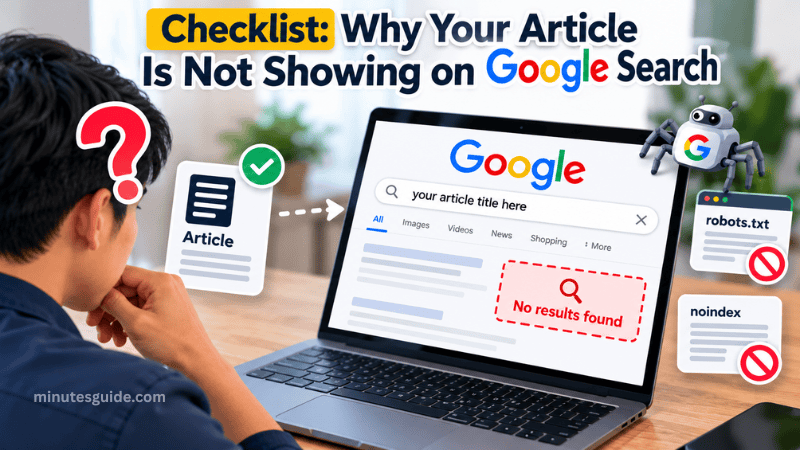
Here are five important things you should check:
- Your website is still new
- Search engines are being blocked
- You are targeting the same focus keyword as another article
- Your website has a Google manual action
- The keyword you are targeting is highly competitive
Let's look at each issue in more detail.
#1. Your Website Is New
If you have recently created a new website, it is normal for Google to take some time to discover, crawl, and index your pages.
A new website usually has very little history, authority, and external recognition compared with an established website. Google may therefore need time to discover its pages and understand what the website is about.
However, there is no fixed waiting period before a new website can appear on Google. Some pages can be discovered and indexed relatively quickly, while others can take longer.
It is also important to understand that being indexed does not automatically mean that your article will rank on the first page of Google. Indexing and ranking are two different processes.
How to deal with a new website
If your website is new, there is usually no need to panic. Instead, concentrate on building the website properly.
You can:
- Publish useful and original articles regularly.
- Make sure your important pages can be crawled.
- Create clear navigation between your pages.
- Add internal links between related articles.
- Submit your sitemap through Google Search Console.
- Make sure your website does not accidentally block search engines.
- Continue improving the quality and usefulness of your content.
Do not assume that you simply need to wait two or three months. Instead, use Google Search Console to check whether Google has discovered and indexed your pages.
#2. Search Engines Are Being Blocked
One of the first things you should check is whether your website or individual article is accidentally preventing search engines from crawling or indexing it.
This can happen because of WordPress settings, robots.txt rules, or a noindex directive added by an SEO plugin or other website configuration.
Check the WordPress setting
If you are using WordPress, you can check whether search engine visibility has been disabled.
Step 1: Log in to your WordPress dashboard.
Step 2: Go to:
Settings » Reading
Step 3: Look for the option related to discouraging search engines from indexing your site.
Make sure this option is not selected if you want your website to be indexed by search engines.
If this option is enabled, WordPress can add a directive that tells search engines not to index the site's content.
Check your robots.txt file
You should also check your website's robots.txt file.
You can usually access it by visiting:
https://yourdomain.com/robots.txt
A typical WordPress robots.txt configuration may look similar to this:
User-agent: *
Disallow: /wp-admin/
Allow: /wp-admin/admin-ajax.php
Allow: /wp-content/uploads/
Disallow: /wp-content/plugins/
Sitemap: https://www.example.com/sitemap_index.xml
The exact configuration can be different depending on your website.
The Disallow directive tells a crawler which URLs it should not crawl. For example, WordPress commonly blocks access to the /wp-admin/ directory because it contains administrative pages that do not need to be crawled.
However, it is important to understand that robots.txt does not work as a simple "remove this page from Google" command. A URL can potentially still appear in search results even when crawling is restricted.
If you want to prevent a page from being indexed, a noindex directive is generally more appropriate.
What is Googlebot?
Googlebot is Google's web crawler. It visits accessible webpages, follows links, and collects information that Google can use for its search index.
If your website is accidentally preventing Googlebot from accessing important pages, Google may have difficulty discovering and processing your content.
Therefore, checking your robots.txt file and your WordPress or SEO plugin settings is an important troubleshooting step.
#3. You Are Using the Same Focus Keyword on Another Article
Another possible problem is that you have several articles targeting the same or very similar search intent.
This is commonly referred to as keyword cannibalization.
For example, imagine you have these three articles:
- How to Lose Weight
- Best Ways to Lose Weight
- How to Lose Weight Fast
If all three articles are targeting almost exactly the same search intent, Google may have difficulty determining which page should be the primary result for that topic.
However, keyword cannibalization does not automatically mean that Google will refuse to show your articles. Google can still index and rank multiple pages from the same website for similar keywords.
The bigger concern is that your own pages may compete with each other when they provide very similar information.
How to fix keyword cannibalization
First, check your existing articles before creating another page targeting the same topic.
You can use Google Search Console to see which pages are receiving impressions and clicks for particular queries.
If two articles are targeting the same search intent, you can consider:
- Improving one article and making it the main page for the topic.
- Combining two very similar articles into one stronger article.
- Redirecting an outdated or unnecessary article.
- Changing the focus of one article to target a different search intent.
- Adding stronger internal links between related pages.
The goal is to make each important article serve a clear purpose.
#4. Your Website Has a Google Manual Action
Another issue you should investigate is whether your website has received a manual action from Google.
Google can take manual action against a website when its reviewers determine that certain pages or practices violate Google's spam policies.
This is different from simply having an article that does not rank well.
For example, using manipulative SEO techniques or practices that violate Google's guidelines can create problems for a website.
You should not assume that every page with poor rankings has received a penalty. There are many normal reasons why an article may rank poorly, including high competition, weak content, poor search intent alignment, or insufficient authority.
How to check for a manual action
The easiest way to check is through Google Search Console.
Step 1: Log in to your Google Search Console account.
Step 2: Select the website you want to check.
Step 3: Look for the Manual actions section.
If Google has issued a manual action, the relevant information should be displayed there.
If there is no manual action reported, your article's poor visibility does not necessarily mean that your website has been penalized.
You should then investigate other possible causes, such as indexing problems, technical issues, search intent, content quality, and keyword competition.
#5. The Keyword Is Highly Competitive
Another common reason your article is difficult to find on Google is that the keyword you are targeting is extremely competitive.
For example, ranking for a broad keyword such as "weight loss" can be considerably more difficult than ranking for a specific search query such as "best walking exercise for weight loss beginners."
Highly competitive keywords may have many established websites competing for the same search results.
Some of those websites may have strong content, many relevant backlinks, high website authority, and years of experience covering the topic.
This does not mean you cannot compete. However, a new or smaller website may need a more focused strategy.
Try targeting long-tail keywords
One possible approach is to target more specific long-tail keywords.
Instead of targeting:
"weight loss"
you could create content around a more specific topic, such as:
"how to lose weight by walking every day"
A more specific search query can have lower competition and may better match the reader's search intent.
You should still research the topic carefully before choosing a keyword. Do not select a keyword simply because it has low competition. The keyword should also be relevant to your website and useful for your target audience.
Check Whether Your Article Is Indexed
Before trying to improve your ranking, you should first determine whether Google has indexed the article.
You can use Google Search Console to inspect the URL.
Enter the URL of your article into the URL Inspection tool. Google Search Console can then provide information about the URL's indexing status and whether there are issues that may prevent the page from appearing in Google Search.
If the page has not been indexed, focus on solving the indexing or technical problem first.
If the page has already been indexed but is ranking very low, the problem is more likely related to competition, search intent, content quality, internal linking, authority, or other ranking factors.
This distinction can save you a lot of time when troubleshooting your website.
Final Checklist
If your article is not showing on Google Search, do not immediately assume that Google has banned your website.
Instead, work through the following checklist:
| Problem | What to check |
|---|---|
| New website | Give Google time to discover your website while continuing to publish useful content |
| Search engines blocked | Check WordPress visibility settings, robots.txt, and noindex directives |
| Similar articles | Check for overlapping search intent and possible keyword cannibalization |
| Manual action | Check the Manual actions section in Google Search Console |
| Competitive keyword | Consider targeting more specific and relevant long-tail keywords |
| Not indexed | Use Google Search Console's URL Inspection tool to investigate the URL |
Conclusion
There can be several reasons why your article is not appearing on Google Search. A new website may still be waiting for Google to discover its content, while a technical configuration may accidentally prevent crawling or indexing.
You should also check whether you have multiple articles targeting the same search intent, whether your website has received a manual action, and whether the keyword you are targeting is simply too competitive.
Most importantly, first determine whether your article is indexed. If it is not indexed, investigate technical and indexing issues. If it is indexed but does not rank well, focus on improving the article, matching search intent, strengthening internal links, and targeting keywords that are appropriate for your website.
By going through this checklist step by step, you can identify potential problems and make informed improvements instead of assuming that your article has disappeared from Google for no reason.
Please create FAQs for this article
Why is my new article not showing on Google Search?
A new article may not appear because Google has not discovered or indexed the page yet. Other possible reasons include technical issues, a noindex directive, blocked crawling, strong keyword competition, or the article not matching the search intent well.
How can I check if Google has indexed my article?
You can use Google Search Console's URL Inspection tool. Enter the URL of your article to check whether Google has indexed the page and whether there are any indexing issues that need to be resolved.
How long does Google take to index a new article?
There is no fixed amount of time. Google may discover and index some pages quickly, while other pages may take longer. The timing can depend on factors such as how easily Google can discover the page, the website's technical setup, internal linking, and Google's crawling processes.
Does a new website take longer to appear on Google?
A new website may take time to establish its presence in Google's index. However, there is no guaranteed waiting period before a new website can appear in search results. You should make sure your important pages are accessible to search engines and submit your sitemap through Google Search Console.
Can robots.txt prevent my article from appearing on Google?
Robots.txt can prevent search engine crawlers from accessing certain URLs. However, robots.txt is not the same as a noindex directive. If your goal is to prevent a page from being indexed, you should use an appropriate noindex directive rather than relying on robots.txt.
What is keyword cannibalization?
Keyword cannibalization happens when multiple pages on the same website target the same or very similar search intent. This can make it harder to determine which page should be the primary page for a particular topic.
Does using the same keyword on multiple articles cause a Google penalty?
Not necessarily. Having the same keyword on multiple pages does not automatically result in a Google penalty. The bigger concern is whether several pages provide very similar content and compete for the same search intent.
What is a Google manual action?
A manual action occurs when Google's reviewers determine that a website or specific pages violate Google's spam policies. You can check for manual actions through the Manual actions section in Google Search Console.
Does a low Google ranking mean that my website has been penalized?
No. A low ranking does not automatically mean that your website has been penalized. Your article may rank poorly because of competition, search intent, content quality, technical issues, internal linking, or other factors.
Why is my article indexed but still not appearing on Google?
An indexed article can still rank very low in search results and therefore be difficult to find. Indexing only means that Google has included the page in its index; it does not guarantee a high ranking.
Should I target long-tail keywords for a new website?
Long-tail keywords can be useful because they are often more specific and may have less competition than broad keywords. However, you should choose keywords that are relevant to your content and match what your target audience is actually searching for.
What should I do if my article is indexed but does not rank?
First, check whether the article matches the search intent. You can then improve the content, make the information more useful and comprehensive, strengthen internal links, improve the page's technical SEO, and consider whether the keyword is too competitive for your website.
References
- Articles Not Appearing in Search Results for 8 Months - support.google.com
- Why Your Website Isn't Show Up on Google (And How to Fix) - seo.com