
Divi Theme Review: Is It the Best WordPress Theme and Builder? | Choosing the right WordPress theme and page builder can have a major impact on how easily you can create, manage, and grow a website. While WordPress provides thousands of themes and plugins, only a smaller group offers a complete visual website-building experience without requiring extensive coding knowledge. Divi is one of the most established solutions in this category, combining a WordPress theme, visual page builder, theme builder, design system, templates, and additional website-building tools in one ecosystem.
In this Divi Theme Review, we will take a detailed look at what Divi offers, including its visual builder, Theme Builder, design flexibility, templates, performance, WooCommerce support, ease of use, pricing, advantages, disadvantages, and overall value.
Divi has also undergone a major evolution with Divi 5. The latest version introduces a redesigned architecture and several modern layout capabilities, including Flexbox, CSS Grid, nested modules, improved builder performance, and other workflow improvements.
So, is Divi the best WordPress theme and builder available today? The answer depends largely on what you need from your website builder. For users who want extensive visual customization, unlimited website usage, a large design ecosystem, and a lifetime licensing option, Divi remains a compelling choice. However, it is not necessarily the perfect solution for every WordPress website.
Table of Contents
Divi Theme Review: Is It the Best WordPress Theme and Builder?
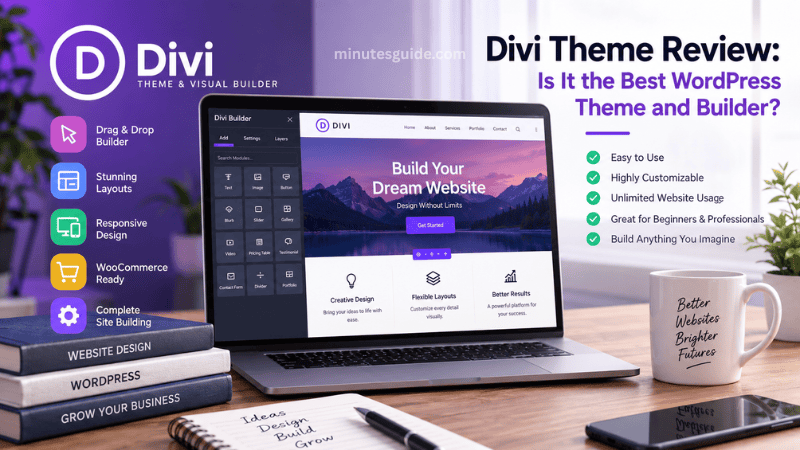
What Is Divi?
Divi is a WordPress theme and visual website builder developed by Elegant Themes. Unlike a traditional WordPress theme that primarily controls the appearance of a website, Divi combines the theme with a visual building system that allows users to design pages and templates directly from a graphical interface.
The Divi Builder is integrated into the Divi theme, meaning users do not need to install the separate Divi Builder plugin when they are already using the Divi theme.
The main attraction of Divi is its visual editing experience. Instead of relying heavily on the standard WordPress editor or manually writing HTML and CSS, users can construct pages using sections, rows, columns, and content modules.
Divi can therefore be used for a wide range of websites, including:
- Business websites
- Blogs and magazines
- Portfolio websites
- Freelance websites
- Agency websites
- Landing pages
- Online stores
- Membership websites
- Service-based businesses
- Personal websites
- Corporate websites
Another important characteristic of Divi is its unlimited website usage. The standard Divi membership allows users to use the theme and builder on unlimited websites, which can make the product particularly attractive to freelancers, agencies, developers, and people managing multiple websites.
Divi 5: A Major Evolution of the Builder
Any modern Divi Theme Review needs to take Divi 5 into account because the platform has changed significantly compared with older versions of Divi.
Divi 5 represents a substantial architectural upgrade designed to improve performance, scalability, stability, and the overall visual editing experience. Elegant Themes has introduced several new capabilities that are intended to make the builder more suitable for increasingly complex websites.
One of the most important changes is the introduction of modern layout systems.
Divi 5 supports Flexbox functionality that provides more control over direction, wrapping, ordering, spacing, and positioning. CSS Grid functionality is also being integrated into different areas of the builder, providing additional control for more sophisticated layouts.
Nested modules are another notable addition. They allow modules to contain other modules, making it possible to create more complex structures without depending as heavily on custom code.
These changes are important because modern website design increasingly depends on flexible responsive layouts rather than rigid structures.
Existing Divi users should also pay attention to compatibility when moving from older versions. Elegant Themes recommends testing Divi 5 on a staging website and creating a complete backup before upgrading a production website. Divi 4 content and legacy third-party modules can continue to operate through backward compatibility, although that mode does not provide the full performance benefits of the new Divi 5 framework.
Divi Visual Builder
The Visual Builder is arguably the most important component of Divi.
It allows users to work with their website visually rather than designing everything through the WordPress administration interface. Changes can be made while viewing the page, which makes the relationship between the design controls and the final website much easier to understand.
Users can add different modules, adjust their positions, change typography, modify colors, control spacing, configure responsive settings, and customize other design properties without having to write extensive CSS.
The builder provides a large collection of content modules that can be combined to create different types of pages.
For example, a business homepage could contain:
- A hero section
- A heading and introductory paragraph
- Call-to-action buttons
- Service descriptions
- Image galleries
- Testimonials
- Pricing tables
- Contact forms
- Blog posts
- A final call-to-action section
Because these components can be visually arranged, Divi can significantly reduce the amount of coding required for common website development tasks.
The Divi documentation also provides extensive material covering basic and advanced Visual Builder functionality, including modules, options, layout systems, and WooCommerce functionality.
Divi Theme Builder
The Divi Theme Builder is one of the features that separates Divi from a conventional WordPress theme.
Instead of designing individual pages independently, the Theme Builder allows you to create templates that control different parts of your website.
For example, you can create custom designs for:
- Website headers
- Website footers
- Blog posts
- Category pages
- Archive pages
- Search results
- 404 pages
- WooCommerce products
- Product categories
- Other dynamic content
This means you can establish a consistent design throughout an entire website without manually rebuilding every page.
Divi's Theme Builder can also use dynamic content, allowing information such as post titles, featured images, logos, and other WordPress content to be automatically displayed within templates.
Divi 5 continues to expand this concept through editable Theme Builder areas and more comprehensive site-level design controls.
For websites with a large amount of content, this can save considerable time.
For example, instead of manually redesigning 100 blog posts, you could create one blog post template and allow the individual posts to inherit that design automatically.
Divi Design Flexibility
One of Divi's strongest characteristics is the amount of control it gives users over visual design.
Many WordPress themes are designed around a fixed visual structure. Although customization may be available, users can sometimes reach the limits of the theme relatively quickly.
Divi takes a different approach by exposing a large number of design controls.
Users can customize properties such as:
- Fonts
- Font sizes
- Line heights
- Letter spacing
- Text alignment
- Background colors
- Background images
- Borders
- Border radius
- Shadows
- Margins
- Padding
- Width
- Height
- Animation
- Responsive settings
- Visibility
- Positioning
This level of control makes Divi suitable for users who want their website to have a distinctive appearance rather than relying entirely on a predefined theme design.
The addition of Flexbox and CSS Grid in Divi 5 further expands the layout possibilities for users who need more sophisticated positioning and responsive behavior.
Premade Layouts and Starter Designs
Not everyone wants to build a website from an empty canvas.
This is where Divi's collection of premade layouts and starter designs becomes useful.
Instead of beginning with a blank page, users can select an existing design and customize it to match their business, brand, or personal preferences.
This approach can substantially reduce the amount of time required to create a professional-looking website.
A typical workflow might involve selecting a suitable starter design, replacing the existing text and images, adjusting the colors and typography, adding the company's branding, and then publishing the website.
The advantage is particularly noticeable for small businesses and beginners who may not have professional web design experience.
Divi also supports reusable layouts and design assets, allowing users to save elements and use them on other pages or websites.
For agencies and freelancers, this can make it easier to establish repeatable workflows across multiple client projects.
Divi Responsive Design
A modern website needs to work properly across desktop computers, tablets, and smartphones.
Divi provides responsive design controls that allow users to adjust different design settings depending on the device being used.
For example, a designer can use a larger heading size on desktop while reducing the heading size on mobile.
Similarly, spacing, column arrangements, image sizes, and other properties can be adjusted to provide a better experience on smaller screens.
This is particularly important because a design that looks excellent on a large desktop monitor can become difficult to use when displayed on a smartphone.
Divi's modern layout capabilities, including Flexbox and CSS Grid, also provide more control over responsive positioning and alignment.
Divi for WooCommerce
Divi can also be used to build WooCommerce websites.
Rather than simply installing WooCommerce and accepting the default appearance of product pages, Divi allows users to customize many aspects of the store's visual presentation.
The Theme Builder can be used to create custom WooCommerce templates, including product templates and product category layouts.
This can be useful when creating an online store that needs to match an existing brand identity.
For example, a business could create a custom product page with:
- Product images
- Product title
- Product description
- Pricing
- Product variations
- Add-to-cart buttons
- Product information
- Customer reviews
- Related products
- Promotional sections
The ability to control these elements visually makes Divi attractive to businesses that want more design flexibility than a standard WooCommerce theme provides.
However, businesses running very large or technically complex stores should still evaluate performance, plugin compatibility, hosting configuration, and development requirements before committing to any visual builder.
Divi Performance
Performance is one of the most important areas to evaluate in any Divi Theme Review.
Website design flexibility is valuable, but excessive functionality can potentially make a website more complicated to optimize.
Divi 5 is specifically designed to address some of the performance and architectural limitations associated with the older framework. Elegant Themes describes the new architecture as a foundation focused on performance, stability, scalability, and extensibility.
Divi also has mechanisms intended to avoid loading unnecessary functionality. For example, its Dynamic Module Framework can load only the modules and feature logic required by a particular page.
However, website speed should not be judged solely by the theme.
Actual performance depends on many factors, including:
- Web hosting
- Image optimization
- Caching
- Content delivery networks
- Number of plugins
- Third-party scripts
- Fonts
- Video content
- Database configuration
- JavaScript
- CSS
- Website architecture
Therefore, it would be inaccurate to claim that installing Divi automatically guarantees a fast website.
Divi 5 improves the builder architecture, but website owners should still follow normal WordPress performance practices.
Divi SEO Capabilities
Divi can be used to build SEO-friendly WordPress websites, but the theme itself should not be considered a complete SEO strategy.
Search engine visibility depends on many factors beyond the visual appearance of a website.
A successful website still needs:
- High-quality content
- Logical website structure
- Search-friendly URLs
- Proper heading hierarchy
- Internal links
- Optimized images
- Fast loading times
- Mobile-friendly design
- Reliable hosting
- Good technical SEO
- Appropriate metadata
- Useful content that satisfies visitors
Divi provides the design foundation, while WordPress and dedicated SEO plugins can handle many other aspects of website optimization.
For bloggers and publishers, this distinction is important. A visually impressive Divi website will not automatically rank well simply because it was created with Divi.
Divi Ease of Use
Divi is designed to be accessible to users who do not necessarily know how to code.
The visual editing approach makes it possible to experiment with website layouts without immediately learning HTML, CSS, PHP, and JavaScript.
For beginners, the biggest challenge is not necessarily understanding individual controls but learning how all of Divi's options fit together.
Divi provides a very large number of settings, and this can initially feel overwhelming.
A beginner may need some time to understand the relationship between sections, rows, columns, modules, templates, global settings, responsive controls, and reusable design elements.
Once the concepts become familiar, however, Divi becomes considerably easier to use.
Experienced designers may also appreciate the ability to work quickly without constantly switching between the front end and WordPress administration screens.
Divi AI
Divi has also expanded beyond traditional visual website building through AI-powered functionality.
Divi AI can assist with tasks such as generating text, images, layouts, and code within the Divi ecosystem. The current Divi AI system also includes an AI Agent that works through a metered usage model, while other AI generation capabilities are described as unlimited subject to fair-use policies.
This can be useful for users who want to accelerate the initial website-building process.
For example, AI can help generate initial page copy or create a starting layout that can then be edited manually.
However, AI-generated content should still be reviewed carefully before publication. Businesses should ensure that generated copy accurately represents their services, products, policies, and brand voice.
Divi Pricing
Pricing is one of Divi's strongest selling points, particularly for people managing multiple websites.
As of September 2026, Elegant Themes lists the standard Divi plan at $89 per year. It also lists a Divi Lifetime option at $249 as a one-time payment, providing lifetime access to Divi and Divi Dash for unlimited websites.
The lifetime plan is particularly interesting for freelancers, agencies, and developers who expect to use Divi for many years.
A simplified comparison looks like this:
| Plan | Price | Website Usage | Best For |
|---|---|---|---|
| Divi Yearly | $89/year | Unlimited | Individual website owners and professionals |
| Divi Lifetime | $249 one-time | Unlimited | Long-term users and agencies |
| Divi Pro | Additional recurring cost | Unlimited | Professionals needing additional services |
The exact pricing of additional services can change, so prospective customers should check the current Elegant Themes pricing page before purchasing.
One important distinction is that the lifetime Divi license does not mean every additional Divi service is included forever. Services such as Divi AI and other Pro services have their own pricing structures.
Pros and Cons of Divi
| Pros | Cons |
|---|---|
| Powerful visual website builder | Large number of options can overwhelm beginners |
| Unlimited website usage | Some advanced services require additional payment |
| Lifetime license available | Migration from older Divi versions requires careful testing |
| Extensive design controls | Highly customized websites still require optimization |
| Powerful Theme Builder | Can require a learning period |
| WooCommerce support | Not necessarily the best choice for every type of website |
| Large collection of layouts and templates | Users should evaluate plugin compatibility |
| Responsive design controls | Excessive design complexity can make maintenance harder |
| Divi 5 introduces modern layout features | Some older third-party modules may require compatibility testing |
| AI-powered design and content tools | AI-generated content still requires human review |
Who Should Use Divi?
Divi is particularly well suited to people who want significant control over the visual appearance of their websites.
It can be a strong choice for freelancers who create websites for multiple clients because the license allows unlimited website usage.
Agencies can also benefit from the reusable layouts, templates, Theme Builder, and visual design workflow.
Small businesses may appreciate the ability to create a professional website without hiring a developer for every minor design adjustment.
Bloggers can use Divi to create custom blog layouts and templates while maintaining control over typography, content presentation, and branding.
Divi can also be suitable for WooCommerce businesses that want more control over their storefront's visual design.
Who May Want to Avoid Divi?
Divi may not be ideal for users who want an extremely lightweight and minimalist WordPress setup with very few visual design controls.
It may also be excessive for someone who only needs a simple blog with a basic theme and does not intend to customize the website extensively.
Developers who prefer working directly with custom code and lightweight theme frameworks may also prefer a different approach.
Similarly, website owners with highly specialized technical requirements should compare Divi against other WordPress builders before making a long-term decision.
The best WordPress theme is not necessarily the one with the largest number of features. It is the one that provides the right combination of flexibility, performance, usability, maintenance, and cost for a particular project.
Divi vs Traditional WordPress Themes
Traditional WordPress themes generally provide a predefined structure that users customize through WordPress settings, the Customizer, the Site Editor, widgets, plugins, or custom code.
Divi takes a more visual and design-oriented approach.
With Divi, users can visually construct individual pages and create reusable templates for different content types.
This makes Divi particularly attractive to people who want to control the appearance of almost every section of their website.
The trade-off is that greater flexibility also introduces greater complexity.
A simple WordPress theme can sometimes be easier to maintain because there are fewer design systems and controls to manage.
Divi therefore makes the most sense when its flexibility is actually useful for the project.
Divi vs Other Page Builders
Divi competes with several major WordPress page builders, including Elementor, Beaver Builder, Bricks, and other visual website-building solutions.
The right choice depends on individual preferences.
Some users prefer Elementor's interface, while others prefer the workflow and design system offered by Divi.
Divi's unlimited website usage and lifetime license are particularly important differentiators for users who operate multiple websites. Elegant Themes currently advertises unlimited website usage as part of its standard Divi offering.
Divi 5 also gives the platform a more modern technical foundation, particularly for users who are interested in Flexbox, CSS Grid, nested modules, and the redesigned Visual Builder.
Rather than selecting a builder solely because it is considered the "best," it is better to choose the system whose interface and workflow match the way you prefer to build websites.
Is Divi Good for Beginners?
Yes, Divi can be a good choice for beginners, especially those who prefer visual design rather than coding.
The large number of options can initially appear intimidating, but users do not need to learn every feature before creating a website.
A beginner can start with a premade layout, replace the content, adjust the colors and typography, and gradually learn more advanced functionality.
This approach is much easier than trying to master every Divi feature from the beginning.
However, beginners should still learn basic WordPress concepts such as themes, plugins, pages, posts, menus, media, backups, and website security.
Understanding these fundamentals makes it much easier to use Divi effectively.
Is Divi Worth It?
For many users, Divi is worth the investment.
The strongest argument is its combination of visual flexibility, Theme Builder functionality, extensive design controls, unlimited website usage, and lifetime licensing.
The $249 lifetime option is particularly attractive for users who expect to create multiple websites or continue using Divi over many years.
Divi 5 also makes the platform more compelling because it introduces a modernized builder architecture and new layout capabilities that address several areas important to contemporary web development.
However, value depends on usage.
If you only need one basic website and rarely change its design, a simpler WordPress theme may provide better value.
If you regularly build websites and want complete visual control, Divi's feature set can justify its cost much more easily.
Final Verdict: Is Divi the Best WordPress Theme and Builder?
After examining its features, flexibility, pricing, performance improvements, and overall ecosystem, Divi remains one of the strongest WordPress theme and builder solutions available.
It is particularly impressive for users who want a complete visual website-building system rather than simply a traditional WordPress theme.
The Divi Theme Builder provides extensive control over site-wide templates, while the Visual Builder makes it possible to design pages without extensive coding. WooCommerce support expands its usefulness for online stores, while responsive controls make it possible to create designs that work across different screen sizes.
Divi 5 makes the platform even more interesting by introducing Flexbox, CSS Grid, nested modules, and architectural improvements focused on performance and scalability.
Its pricing is another significant advantage, especially for freelancers and agencies that need to create websites for multiple clients. The availability of a $249 lifetime license for unlimited websites makes Divi unusual among major WordPress website-building platforms.
That said, Divi is not automatically the best option for everyone. Users who prioritize extreme simplicity, minimal customization, or a highly specialized development workflow may find another WordPress solution more suitable.
Overall, this Divi Theme Review concludes that Divi is an excellent choice for WordPress users who want design freedom, a powerful visual builder, comprehensive site-wide customization, and strong long-term value. If your goal is to build professional websites without depending heavily on custom coding, Divi deserves to be on your shortlist.
Frequently Asked Questions About Divi
Is Divi a WordPress theme or a page builder?
Divi is both a WordPress theme and a visual page builder developed by Elegant Themes. It allows users to design individual pages visually while also providing tools for creating site-wide templates, headers, footers, blog layouts, and other website elements.
Is Divi suitable for beginners?
Yes, Divi can be suitable for beginners because its Visual Builder allows users to create and customize pages without extensive coding knowledge. However, the large number of customization options can require some time to learn, particularly for users who are completely new to WordPress.
Is Divi good for professional websites?
Yes. Divi can be used to create professional websites for businesses, agencies, freelancers, portfolios, blogs, and online stores. Its extensive design controls and Theme Builder provide considerable flexibility for creating a customized website.
Does Divi work with WooCommerce?
Yes. Divi supports WooCommerce and provides tools for customizing WooCommerce-related pages and product layouts. This allows store owners to create a more customized shopping experience instead of relying entirely on the default WooCommerce design.
Is Divi SEO-friendly?
Divi can be used to create an SEO-friendly WordPress website, but using Divi alone does not guarantee good search engine rankings. Website owners still need to focus on high-quality content, site structure, page speed, mobile usability, internal linking, technical SEO, and other important optimization factors.
Is Divi fast?
Divi 5 introduces architectural and performance improvements designed to make the builder more efficient and scalable. However, the actual speed of a Divi website depends on factors such as hosting, image sizes, plugins, caching, third-party scripts, and website configuration.
Can I use Divi on multiple websites?
Yes. Divi's standard licensing allows users to use Divi on unlimited websites. This can make it particularly attractive to freelancers, agencies, developers, and website owners who manage several WordPress websites.
Does Divi offer a lifetime license?
Yes. Elegant Themes offers a Divi Lifetime option. At the time of this article's review, the lifetime plan is listed at $249 as a one-time payment and allows Divi to be used on unlimited websites. Pricing and plan details can change, so users should check the current pricing before purchasing.
What is Divi 5?
Divi 5 is the newer generation of the Divi platform, featuring a redesigned architecture and modern layout capabilities. It introduces features such as Flexbox, CSS Grid, nested modules, and improvements intended to enhance builder performance, stability, and scalability.
Can I create a complete website using Divi?
Yes. Divi can be used to build an entire WordPress website, including the homepage, internal pages, blog posts, headers, footers, archives, search pages, 404 pages, and WooCommerce layouts. Its Theme Builder allows many of these elements to be managed through reusable templates.
Is Divi better than Elementor?
There is no universal answer because both builders have different interfaces, workflows, features, and pricing structures. Divi may be particularly attractive to users who value its design system, unlimited website usage, and lifetime license, while Elementor may be preferable for users who prefer its specific editing experience and ecosystem.
Is Divi worth buying?
Divi can be worth buying if you want extensive visual customization and plan to use the builder for one or multiple websites over the long term. The lifetime license can provide particularly strong value for agencies, freelancers, and developers who expect to build several websites.
References
- Divi Theme Review for WordPress Site Owners - superbthemes.com
- Divi Theme Review - DiviTheme.net - divitheme.net